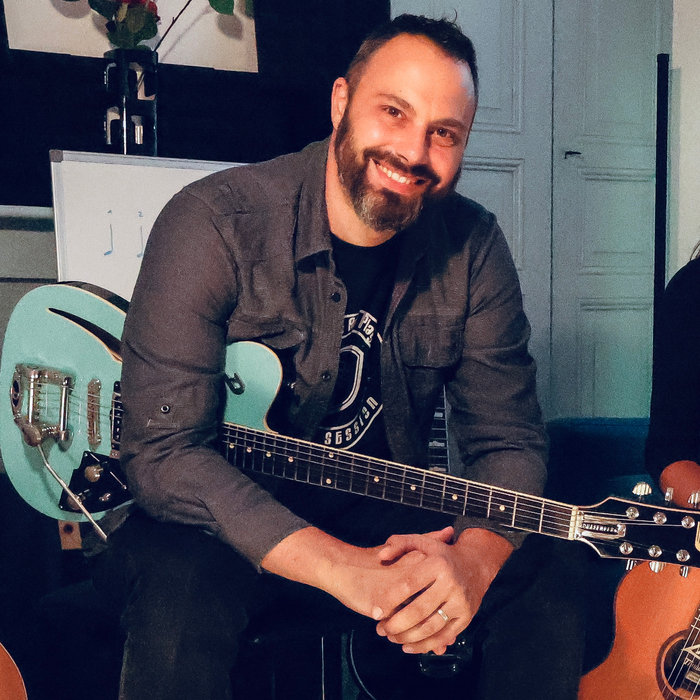
 Guitar Master · published by Samaria Studio, designed with Jean-Christophe Vignon, guitar teacher
Every tool
a guitarist needs.
One app.
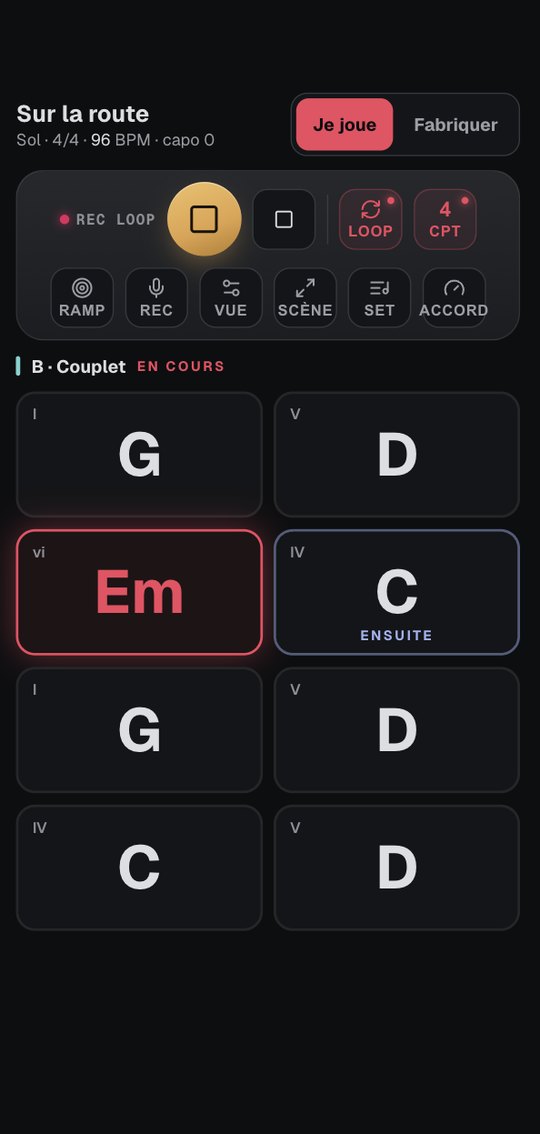
Write out your song's chord chart and the app shows you what to play over it: the scale, the arpeggio, the bass line, the piano accompaniment. Twenty-nine tools, four trainers and a 198-step programme, developed by Samaria Studio with a guitar teacher, for his own students first.
A core set of tools stays free for everyone, with no subscription.
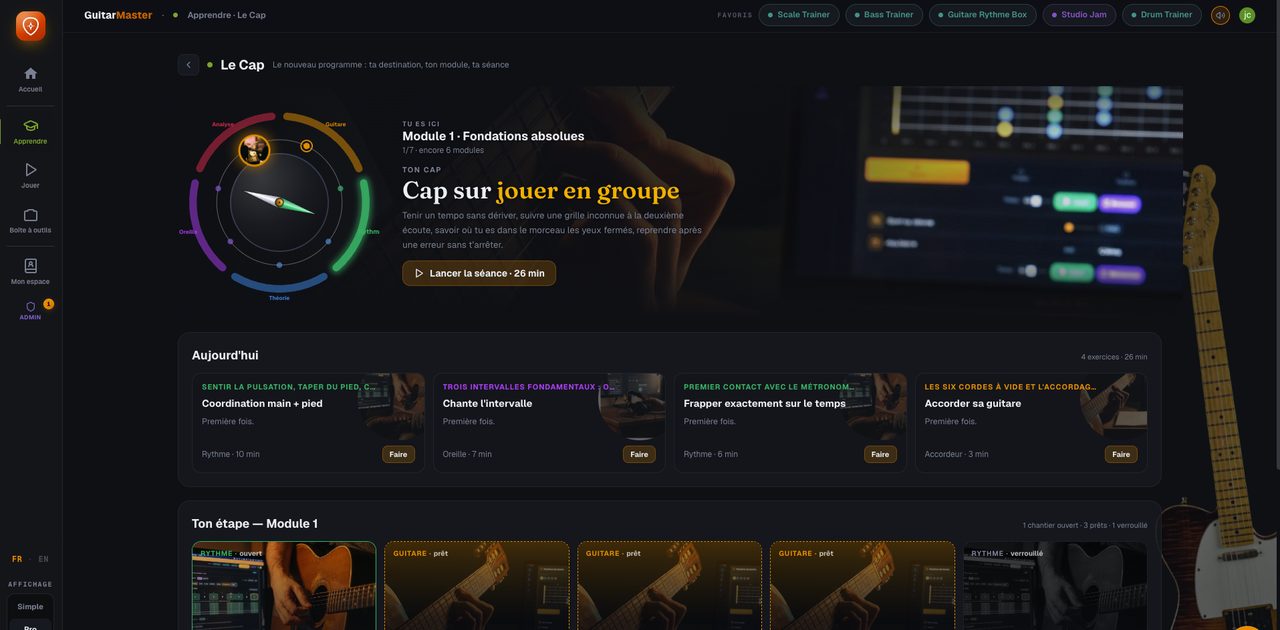
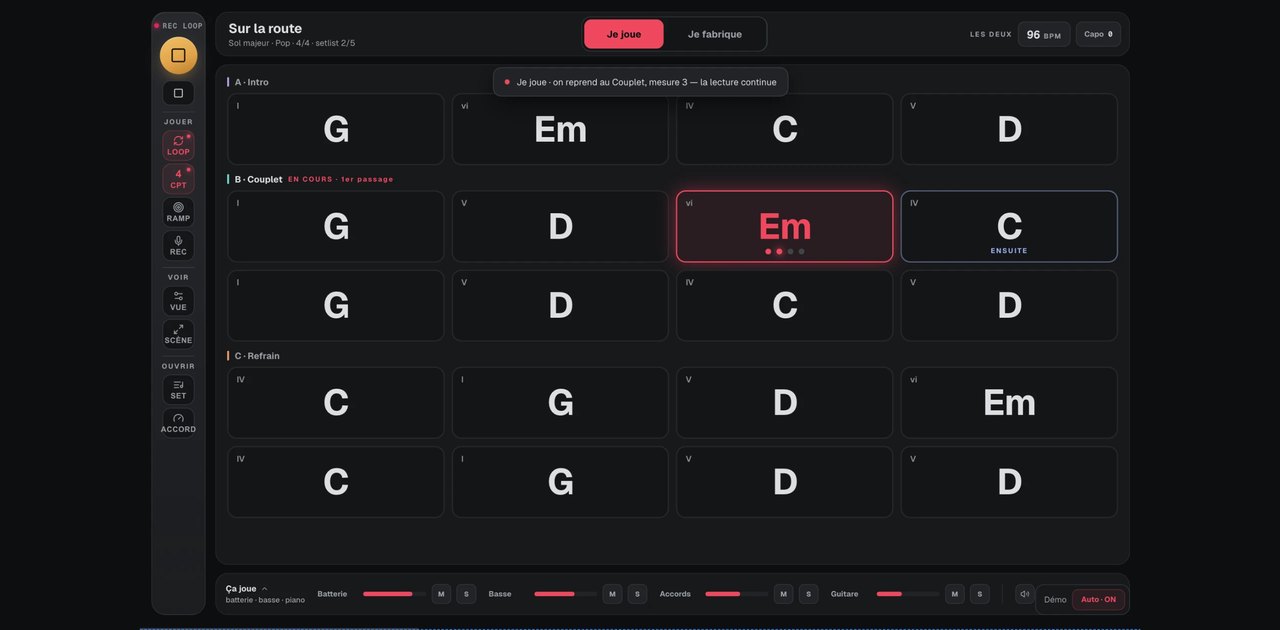
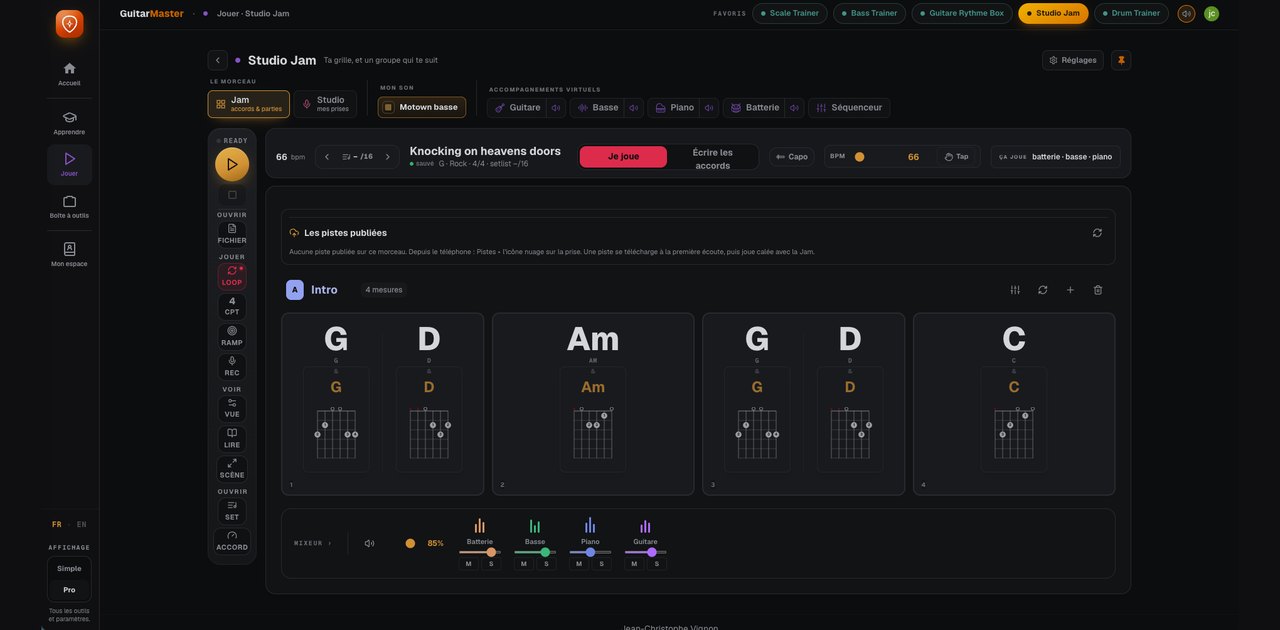
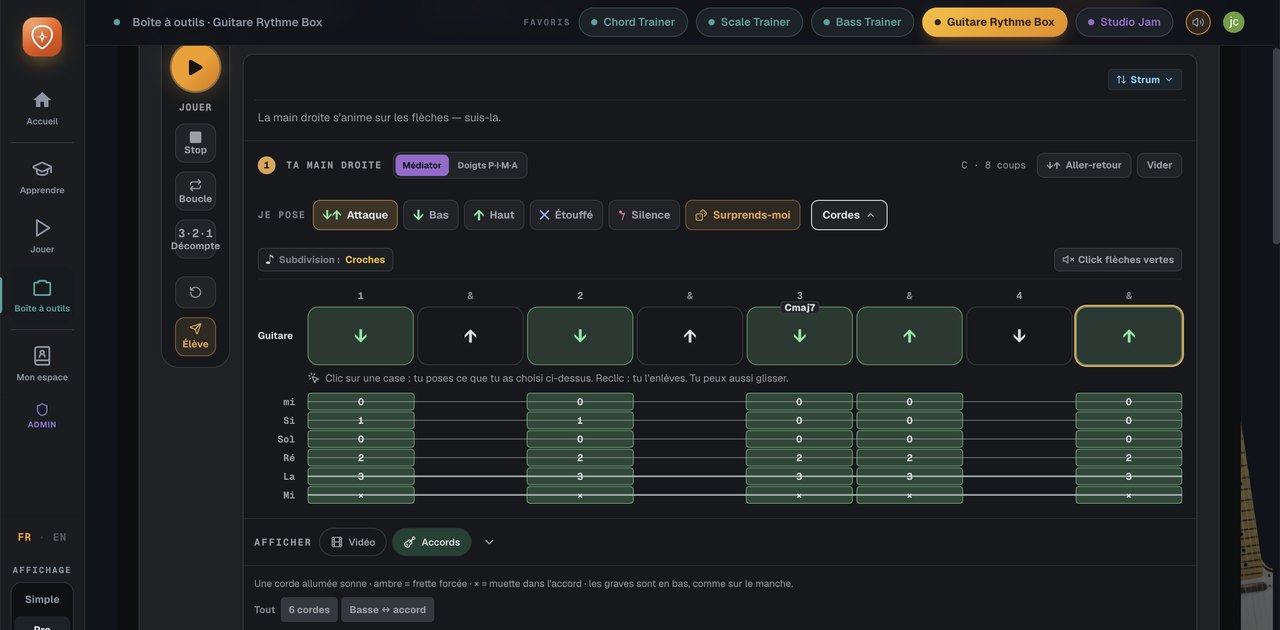
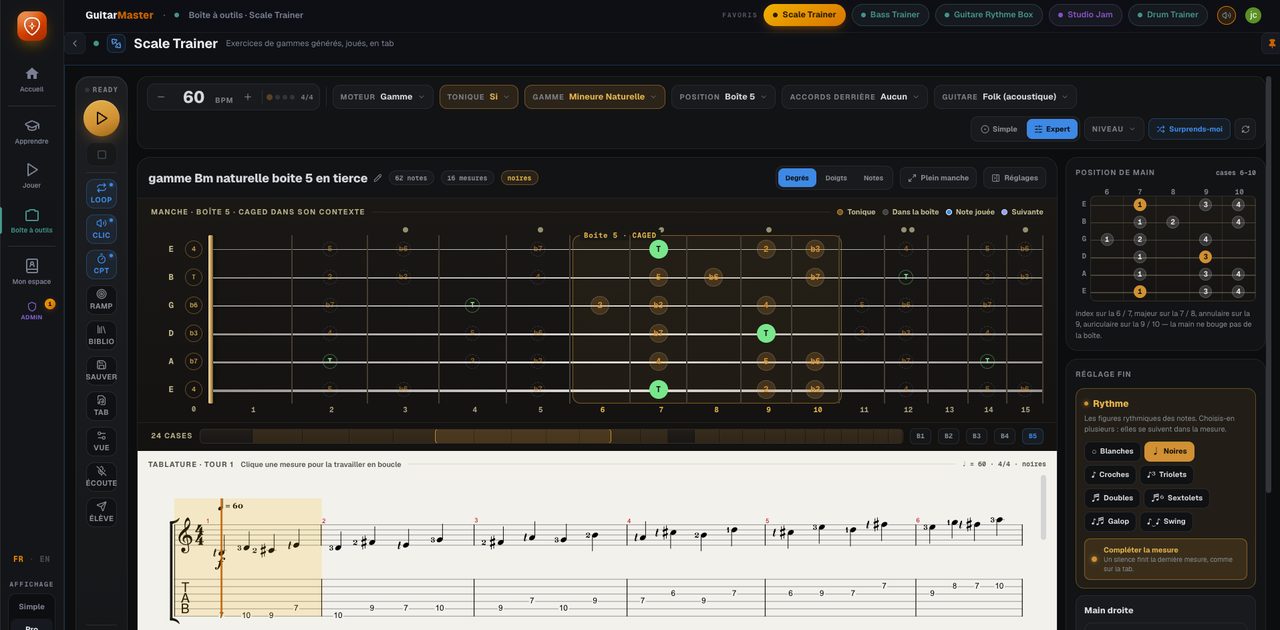
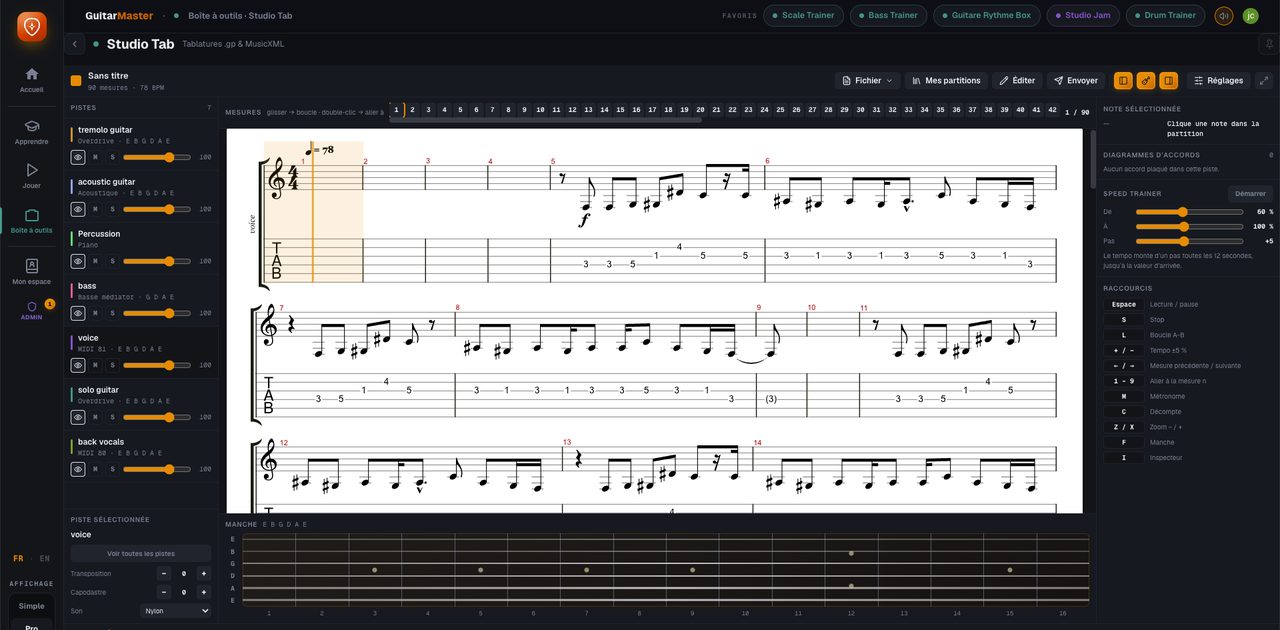
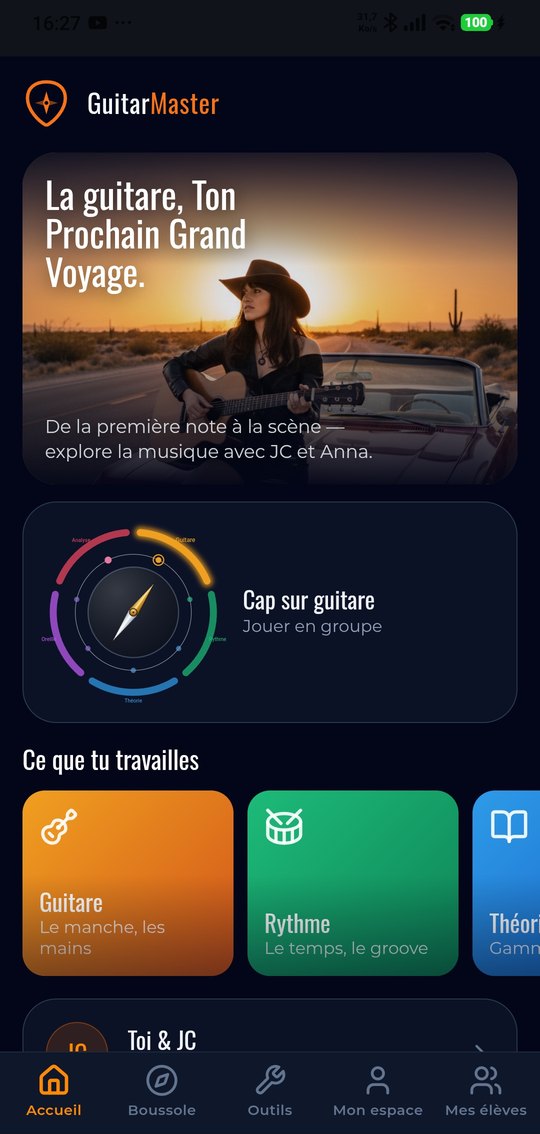
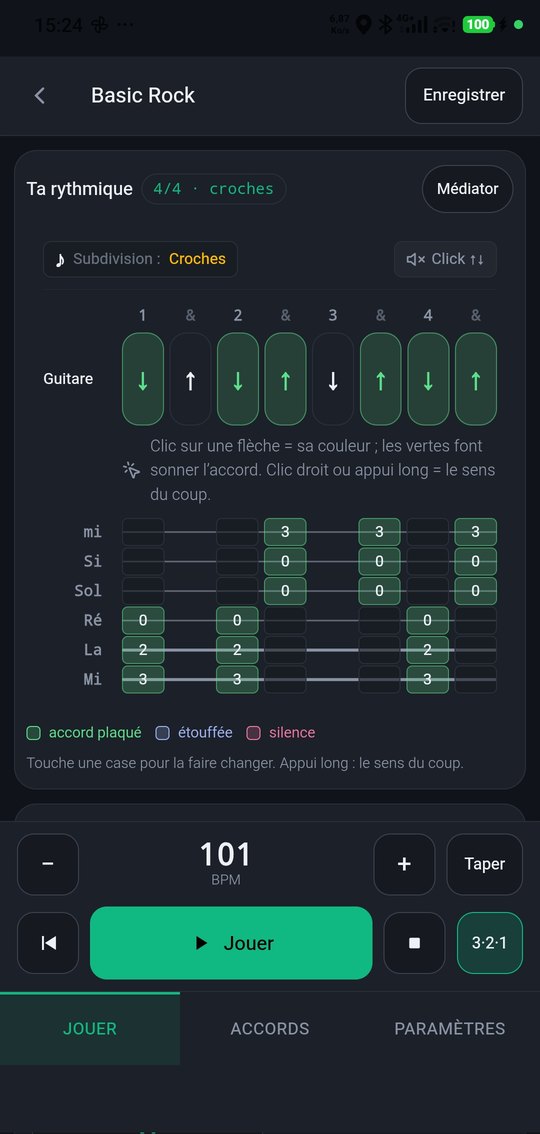
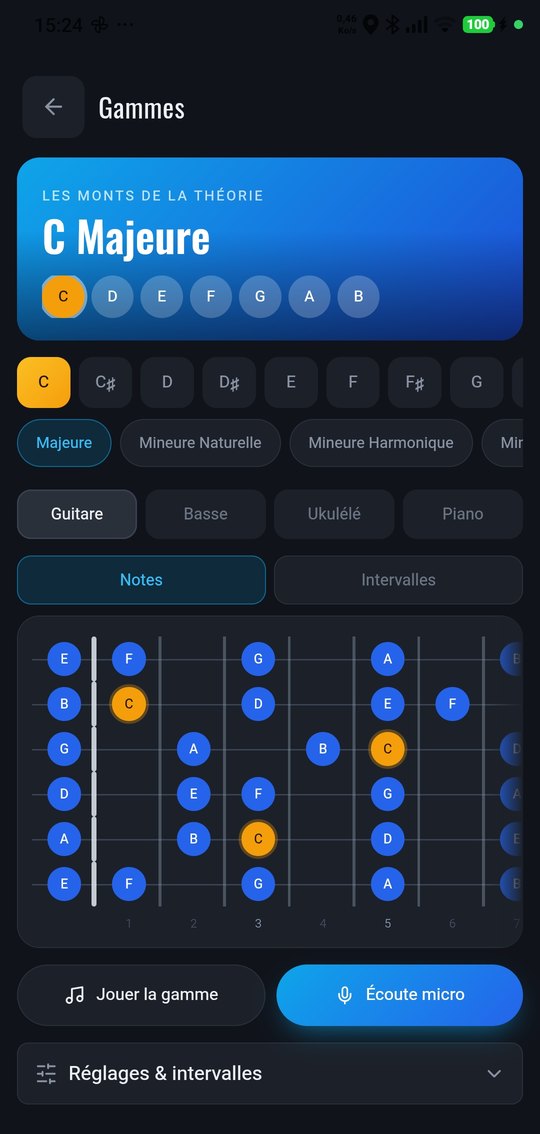
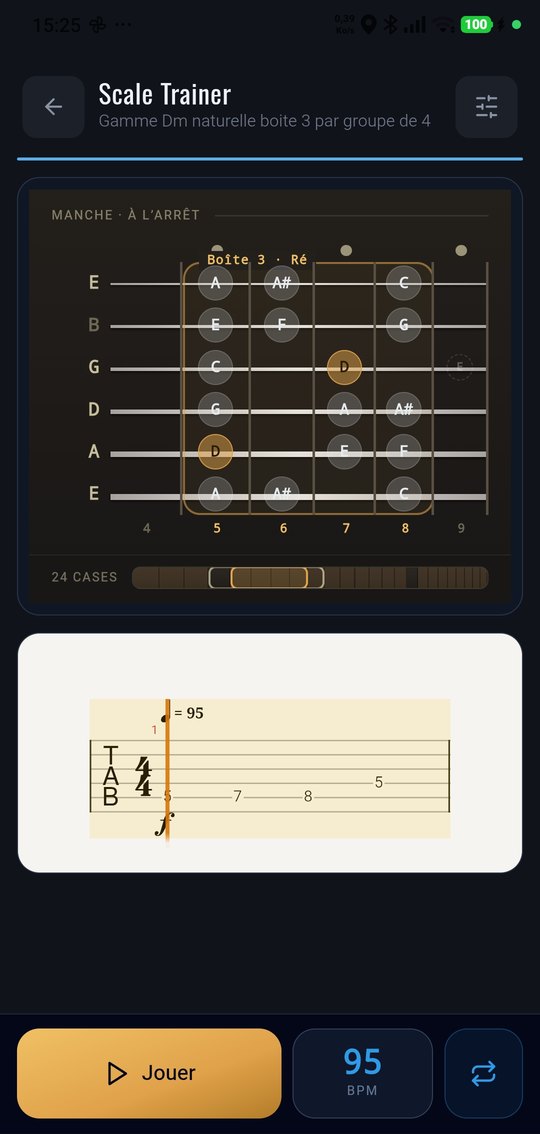
What's inside.
You are…
The same app, three uses with nothing in common. Pick yours.
A guitarist working alone
You don't take lessons, or not any more. You want something to work with seriously: a band behind you, the fretboard finally clear, rhythm made visible, a programme that holds together.
See the app on guitarmaster.fr →My student, or soon to be
You take lessons with me over video. The app is included: your exercises land in it at the end of every session, and the lesson itself takes place inside it.
What's included →A guitar teacher
You teach, and you're looking for what I was looking for: a real tool to leave with your students between lessons. Your own space, your own locker, up to 35 students.
The teacher plan →The full tour is on guitarmaster.fr
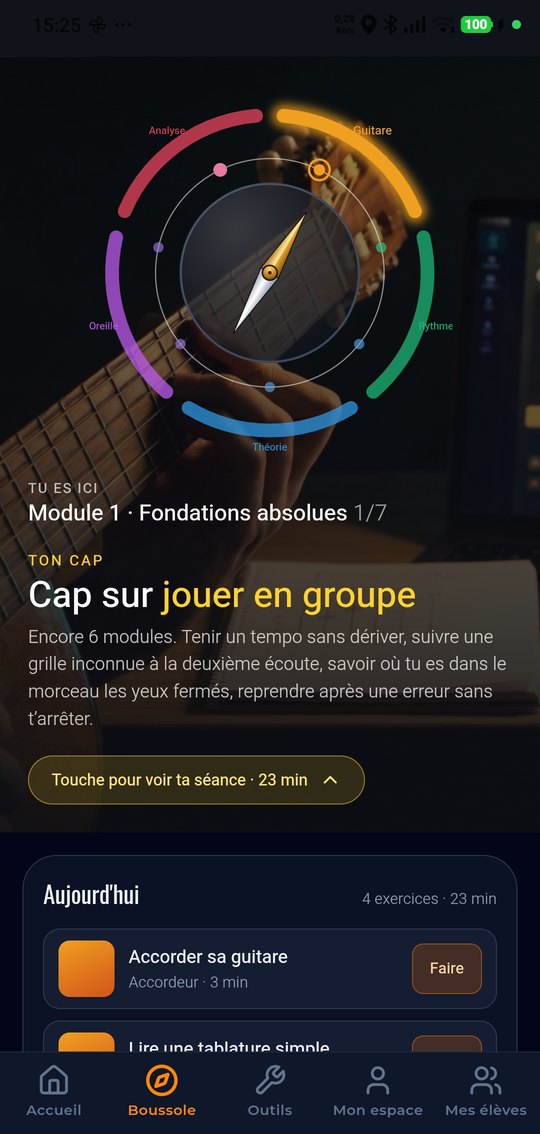
The tools, the four trainers, the studio, the set list, the 198-step programme: it is all detailed there, in pictures, and that is where I keep it up to date. The site is in French.
You take lessons with me
The app is included, at no extra charge, in any month you take a lesson. But the point isn't the price: it's that the lesson and the app are one and the same thing.
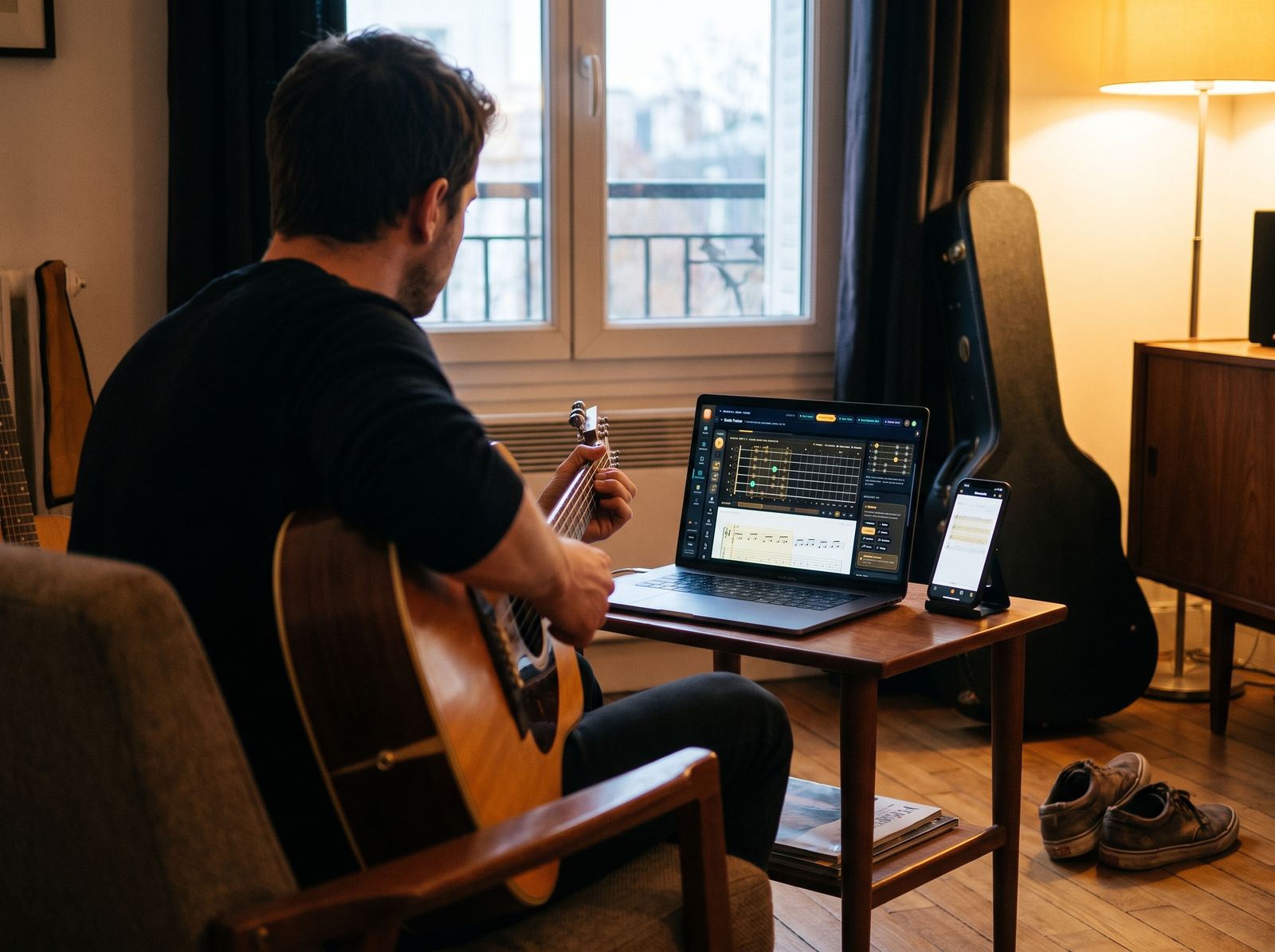
- The lesson takes place inside the app: a "Join" button appears in your space at the agreed time. No Zoom, no link to hunt for.
- We look at the same screen: whatever tool I open on my side opens on yours: diagrams, rhythm box, fretboard, tab.
- Your exercises are waiting: in your locker before the session ends: the chart, the strumming pattern, the scale exercise, the tab.
- We pick up where we left off: the exercises from your last session are still in your space. No more losing ten minutes taking stock.
- Annotated videos: I can send you a time-stamped demonstration, or comment on a recording you send me.
You are a guitar teacher
This app came out of a gap: I couldn't find what I wanted to leave with my students between lessons, so we built it. If you teach, you know the problem: the student leaves with three scribbled notes, and the following week you discover they've been practising it wrong. Guitar Master is opening up to independent teachers.
- Your own teacher's space: your students, and everything you leave them from one week to the next. Your space, your students: I have no access to it.
- Your locker: drop in a chord chart, a strumming pattern, a scale exercise, a tab, an annotated video. Fourteen kinds of item.
- Full access for you and your students: all 29 tools, the four trainers, the studio, the Rythme Box, the tab reader.
- The 198-step programme: use it as the backbone of your own teaching, or ignore it completely and use only the tools.
- Video lessons inside the app: the session happens in the tool, and whatever you open opens on your student's screen.
What it changes, very concretely: your student no longer practises in silence from unreadable notes, and you no longer start every lesson with an investigation.
Teacher plan
For an independent guitar teacher and their students.
Up to 35 active students · No commitment
- 1 teacher's space in your name
- 35 active students at a time: remove one, add another
- Full access for you and for them
- First month free at launch
The multi-teacher space is still being built. I'll let everyone on the list know the moment it opens, and the first partner teachers will be onboarded one at a time: I'd rather say that plainly than sell you a service I can't deliver yet.
What each one gets.
A core set of tools stays free for everyone, with no paid account and no card details. The rest depends on your situation.
| FreeFor everyone | App only€14.99/month | My studentIncluded | Teacher€69/month | |
|---|---|---|---|---|
| Tuner, metronome, chords, fretboard | ✓ | ✓ | ✓ | ✓ |
| Drum sequencer and looper | ✓ | ✓ | ✓ | ✓ |
| Studio Jam, the band that plays behind you | Limited version | ✓ | ✓ | ✓ |
| The four trainers (scales, chords, bass, piano) | · | ✓ | ✓ | ✓ |
| Guitare Rythme Box, the picking hand | · | ✓ | ✓ | ✓ |
| Studio Lab: plug your guitar in, eleven amps | · | ✓ | ✓ | ✓ |
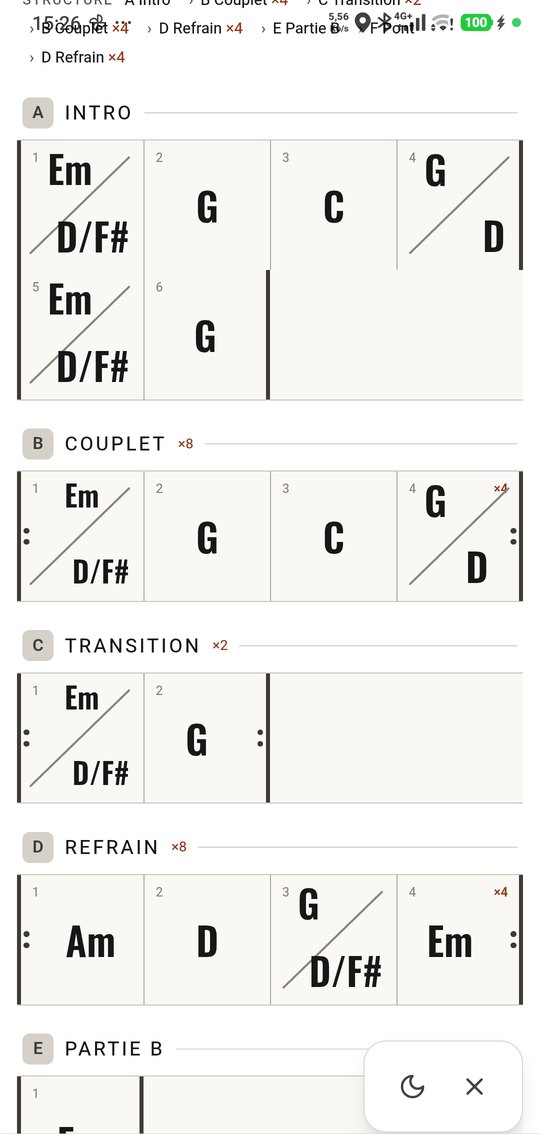
| Studio Tab: Guitar Pro reader and editor | · | ✓ | ✓ | ✓ |
| The 198-step programme and the 80 exercises | · | ✓ | ✓ | ✓ |
| Mobile app, tools offline | ✓ | ✓ | ✓ | ✓ |
| Exercises sent by a teacher | · | · | ✓ | You send them |
| Video lessons inside the app | · | · | ✓ | ✓ |
| Your own teacher's space | · | · | · | ✓ |
| Up to 35 active students | · | · | · | ✓ |
| €0Available | €14.99Opening soon | IncludedFrom €20 a lesson | €69Opening soon |
← Swipe the table →
The "app only" subscription and the teacher plan aren't open yet: payment and the multi-teacher spaces are still being built. Leave me your email address and I'll let you know at launch.
The app: your questions.
What is the Guitar Master app?
An app for learning guitar, on computer and on your phone, from complete beginner to advanced player. It brings together 29 tools: tuner, metronome, Guitare Rythme Box, virtual drums, chords, scales, fretboard, scores, tab editor, Studio Jam, guitar / bass / piano / drum studios, sequencer, looper, recording studio, chord coach, and four trainers that build your exercises and write them out in tab: Scale Trainer, Chord Trainer, Bass Trainer and Piano Trainer. On top of all that, a guided 198-step programme. It is developed by Samaria Studio and designed with Jean-Christophe Vignon, a guitar teacher, out of sixteen years of teaching.
What are the four trainers for?
They solve the problem of practising alone: what to play today, and how. You write in the chord chart for your song, and the app shows you what to play over it. The Scale Trainer generates the scale that fits each chord, or the arpeggio of the chord itself. The Chord Trainer handles chords (triads, open, barre, jazz, cadences, arpeggios), choosing the shapes that flow best into one another. The Bass Trainer writes a bass line in sixteen styles (pop, rock, blues, jazz, funk, soul, reggae, gospel, bossa…) and the Piano Trainer does the same on piano, in eighteen styles. Every exercise plays back, appears on the fretboard and is written out in tab, and I can send you one after a lesson.
How do you work on your ear in the app?
It's the biggest part of the app: 46 of the 80 exercises are devoted to it. First, hearing: major or minor, six chord qualities on the same root, intervals, scales, modes, cadences, the wrong note. Then singing, with the microphone showing how in tune you are in real time : singing back the note you hear, singing each degree over a drone, twelve guided vocal exercises, singing the chords of the scale. And finally playing back what you hear on the guitar: melodic memory, finding a note on the fretboard, copying a riff, guessing the key. Ear training works in small, regular doses, not in three-hour blocks: each exercise takes five minutes.
Do I need to create an account?
Yes. Your account is what keeps your progress and your exercises with you from one device to the next. Signing up takes a minute, by email or with a Google account.
How much does the app cost?
A core set stays free for everyone: the tuner, the metronome, the chord library, the fretboard explorer, the drum sequencer, the looper and the studio jam in a limited version. Full access is €14.99 a month with no commitment, and it opens soon. It's included at no extra charge for students taking lessons, in the month of their lesson. Guitar teachers have a plan of their own at €69 a month.
What devices does it work on?
On a computer, straight in the browser, with nothing to install. And on iPhone and Android, where you add the app from the browser and it then behaves like a real app. Your songs, your scores and the exercises your teacher sends follow your account from one device to the next; detailed progress tracking lives on the computer.
Does the mobile app work offline?
The tools (tuner, drum machine, scales, chord library, fretboard explorer) work offline: you can practise on the train, on holiday or at rehearsal. Lessons, your student locker and your songs need a connection, and detailed progress tracking lives on the computer.
I'm a guitar teacher. When can I sign up?
The multi-teacher space is still being built: today the app can only follow the students of one teacher: me. Join the waiting list and I'll let you know when it opens. The first partner teachers will be onboarded one at a time, with the first month free. I'd rather tell you that plainly than take a subscription for a service I can't deliver yet.
What exactly does "35 active students" mean?
Thirty-five students in your space at the same time. If one stops, you remove them and add someone else in their place: there's no monthly counter to keep an eye on. Beyond thirty-five, we'd talk: it makes no sense to charge an individual teacher what a school would pay.
Is the app in English?
The interface is: the whole tool switches to English in one click. The five written programmes (close to a hundred thousand words) are for now in French only, and their translation is planned. In other words, an English-speaking guitarist can use every tool and every exercise, but will read the courses in French.
Is my students' data kept separate from yours?
Yes. Each teacher has their own space: their students and what they send them. I have no access to the teaching material you put in it, nor to your students.
Guitar Master, an app for learning guitar, designed with a teacher.
Guitar Master is an app for learning guitar, on computer and on mobile, from the complete beginner to the experienced player. It is developed by Samaria Studio and designed with Jean-Christophe Vignon, a guitar teacher trained at the ATLA school of contemporary music in Paris and at the Jazz and Contemporary Music course of the Amiens conservatoire, for his own students first. You can use it alone, alongside one-to-one lessons over video, or as another guitar teacher with your own students.
A teacher's app, built like a piece of software
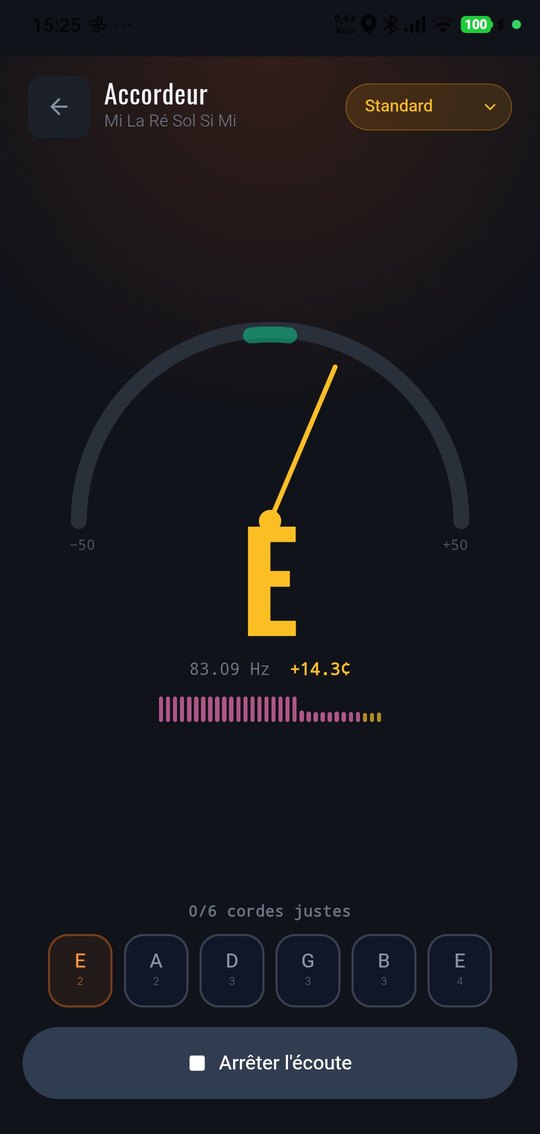
Guitar Master brings together twenty-nine tools that guitarists actually use: a precision tuner accurate to a hundredth of a semitone, a metronome, the Guitare Rythme Box with the picking hand animated stroke by stroke, virtual drums, a library of 113 chords, scales and intervals, fretboard exploration, a Guitar Pro-compatible tab reader and editor, a jam studio with bass, drums and piano backing, per-instrument studios, a piano-roll sequencer, a looper and a recording studio. All of it is backed by a guided 198-step programme, built on sixteen years of teaching.
Write your chord chart, and the app shows you what to play over it
This is the newest part of the app, and what really sets it apart. You lay out the chords of your song, and four generators build what there is to play over the top, play it back, show it on the fretboard and write it out in tab.
The Scale Trainer is an automatic scale and arpeggio generator over the chords of your song: it suggests the scale that fits each chord, the arpeggio of the chord itself, or the scale of the whole song from start to finish. The Chord Trainer handles chords (triads, open chords, barre chords, jazz chords, cadences such as the ii-V-I, and arpeggios), choosing each time the shape that flows best from the one before. The Bass Trainer is an automatic bass line generator in sixteen styles: pop, rock, ballad, blues, jazz, country, funk, soul, disco, reggae, gospel, bossa, neo-soul, metal, electronic and cinematic, with thirty-seven sub-styles. The Piano Trainer does the same for piano in eighteen styles, with the left and right hands written separately on two staves. Every exercise can be saved, played back, and sent to a student by their teacher.
Forty-six exercises for the ear
The ear is the pillar guitarists work on least, and the one that separates playing the notes from making music. The app gives it 46 of its 80 exercises, in three families. Hearing : major or minor, six chord qualities compared on the same root, intervals, identifying and completing a scale, recognising modes and cadences, spotting the wrong note. Singing, with the microphone showing your pitch accuracy in real time: singing back the note you hear, singing each degree over a drone, twelve guided vocal exercises on scales, thirds, fifths, octaves and arpeggios. Playing back what you hear on the guitar: melodic memory, finding a note on the fretboard, octaves, copying a riff, guessing the key. Each exercise takes five minutes, because the ear is built in regular small doses.
An app for every level
Complete beginners find the tuner, open chords, picking-hand rhythm and a programme that tells them what to do next. Intermediate players work on barre chords, the pentatonic across the whole fretboard, the ii-V-I and playing over a backing. Advanced players find voicings with tensions, walking bass, two-handed comping, four-instrument arranging and Guitar Pro export. The advanced settings are all there without ever getting in the way: every trainer starts on a level that's ready to use.
On your computer, with the essential tools in your pocket
The app runs in your browser on a computer, with no installation, and adds itself to the home screen on iPhone and Android. On the phone, the essential tools stay usable offline; your songs, your scores and your teacher's exercises follow your account from one device to the next.
For independent guitar teachers
Any teacher knows the problem: the student leaves with three scribbled notes and comes back a week later having practised it wrong. Guitar Master's teacher plan opens a teacher's space in your name, with your own locker (fourteen kinds of item: chord charts, strumming patterns, scale exercises, tabs, time-stamped annotated videos): everything you leave stays filed by student, and full access to the app for you and up to thirty-five active students at a time, at €69 a month with no commitment. The 198-step programme can serve as the backbone of your teaching or stay out of the way: the tools work independently. This plan opens soon; for now, sign-up is through the waiting list.
A private lesson, not a video library
For those who want to move faster, every video session is a genuine one-to-one lesson: your teacher watches you play, corrects your posture and your picking hand, and adapts the content to your level, your style and your goals. The lesson takes place inside the app itself: no software to install, no link to hunt for, no account to create on a third-party service: a “Join” button appears in your account at lesson time, and the tool your teacher opens on their side opens on your screen too. Complete beginner, returning player or intermediate looking to break through a plateau: the programme is built for you, not for the average student. Your exercises are placed in the app at the end of every lesson, and prices are pay as you go, with no subscription: €20 for 30 minutes, €30 for 45 minutes, €40 an hour.
How much does the app cost?
A core set stays free for everyone, with no paid account: the precision tuner, the metronome, the chord library, the fretboard explorer, the drum sequencer, the looper and the studio jam in a limited version. Full access (the four trainers, the Guitare Rythme Box, Studio Lab, Studio Tab, the 198-step programme and the 80 exercises) is €14.99 a month with no commitment, and opens soon. It is included at no extra charge for students taking lessons over video, in the month of their lesson. Guitar teachers have a plan of their own at €69 a month, with their own space and up to 35 students.
Is the app available in English?
The interface is, entirely: menus, tools, exercises and settings all switch to English. The five written programmes that make up the 198-step pathway (close to a hundred thousand words) are for the moment written in French, and their translation is planned. So an English-speaking guitarist or teacher can use every tool, but will read the written courses in French.
Plug in.
The core tools are free and will stay free. For the rest (the trainers, the studio, the programme), leave me your email address and I'll let you know at launch. And if you'd rather have someone in front of you, lessons over video are pay as you go, from €20.